A look inside Spoolyard, screen by screen.
Your shelf and the scanner app come with every plan. Everything marked Workshop is part of the plan for businesses: requests, quotes, jobs, messages, clients, printers and the shop TV.
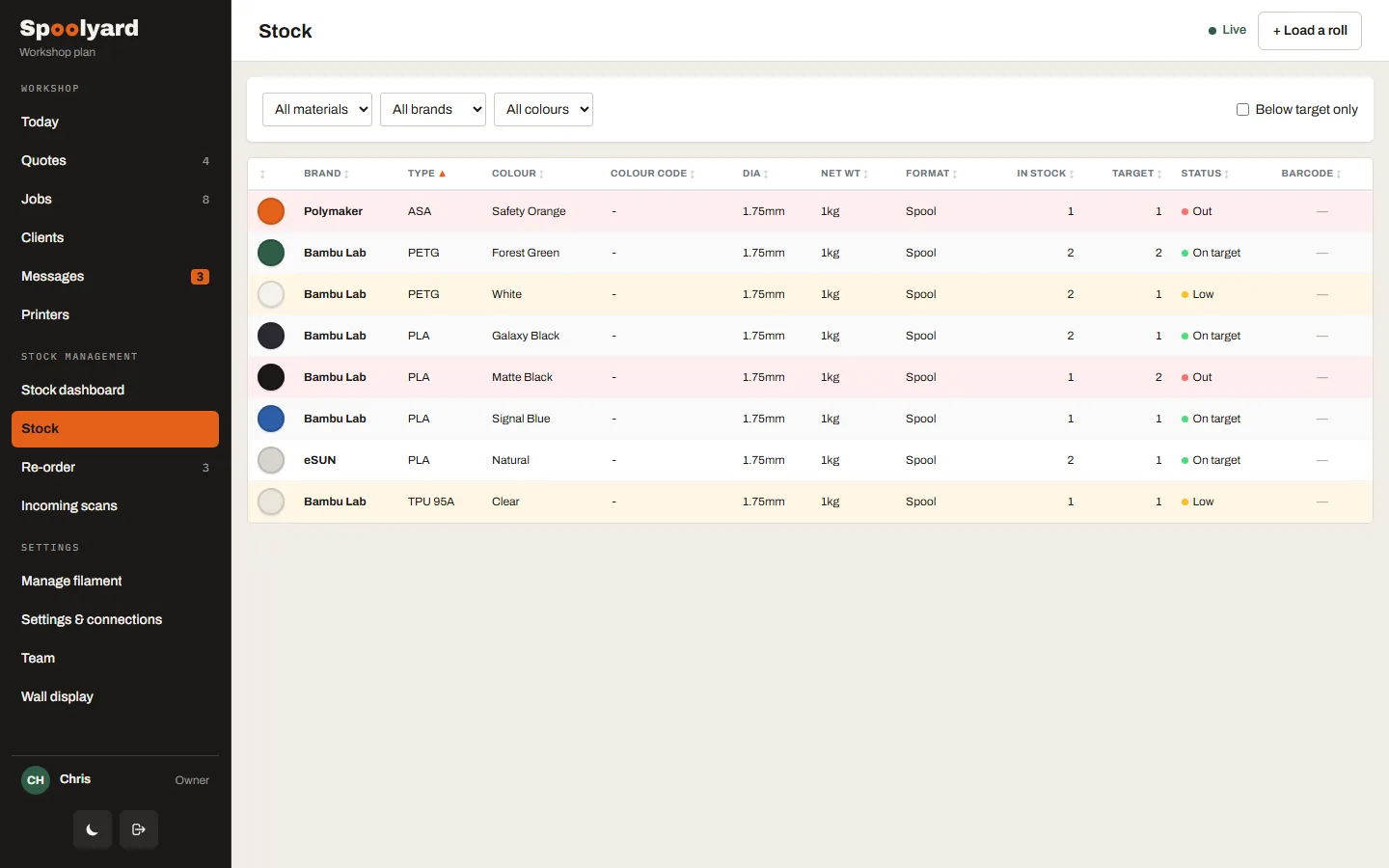
Know what’s on the shelf, without weighing a thing.
Every spool, where it lives and when it was dried. Tap Full, Half or Almost empty as you go; almost-empty spools land on the re-order list by themselves.
- Filter by material, sort re-order first
- Copy the list, export CSV or open supplier links
- Spools in an AMS show which printer they’re in
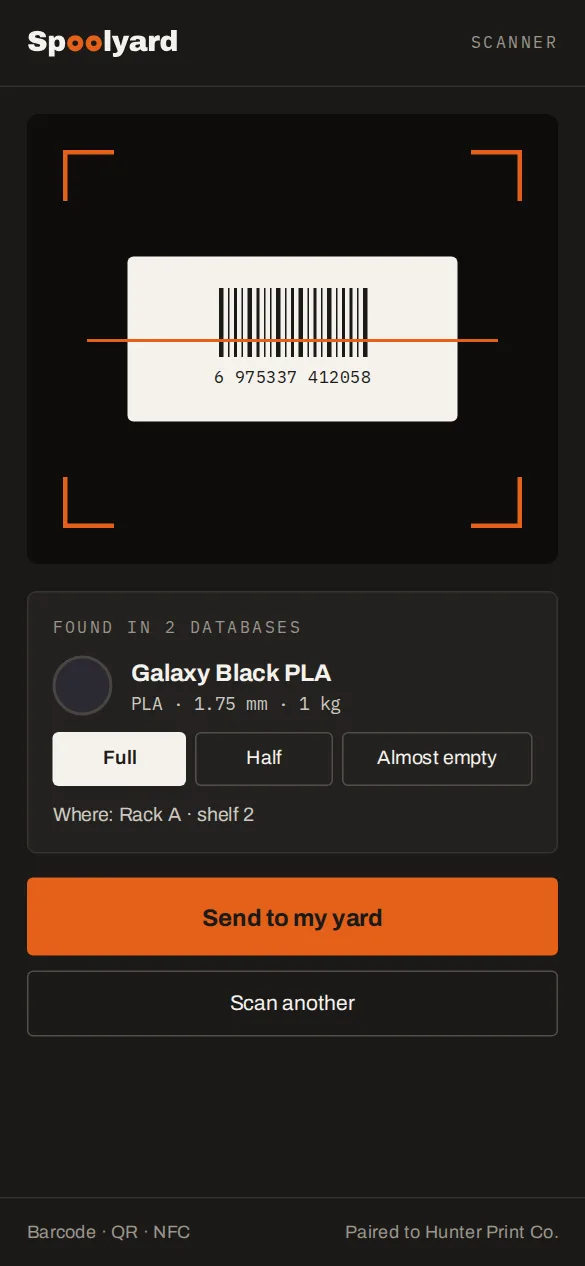
Scan a spool and it’s in the yard.
The Android app reads a barcode, QR code or NFC tag, looks the filament up in several databases, and sends it to your yard. Pick how full it is and where it lives, and you’re done.
- Pairs with your account in one scan
- Barcode, QR and NFC tags
- Anything it can’t match, you type once and it remembers
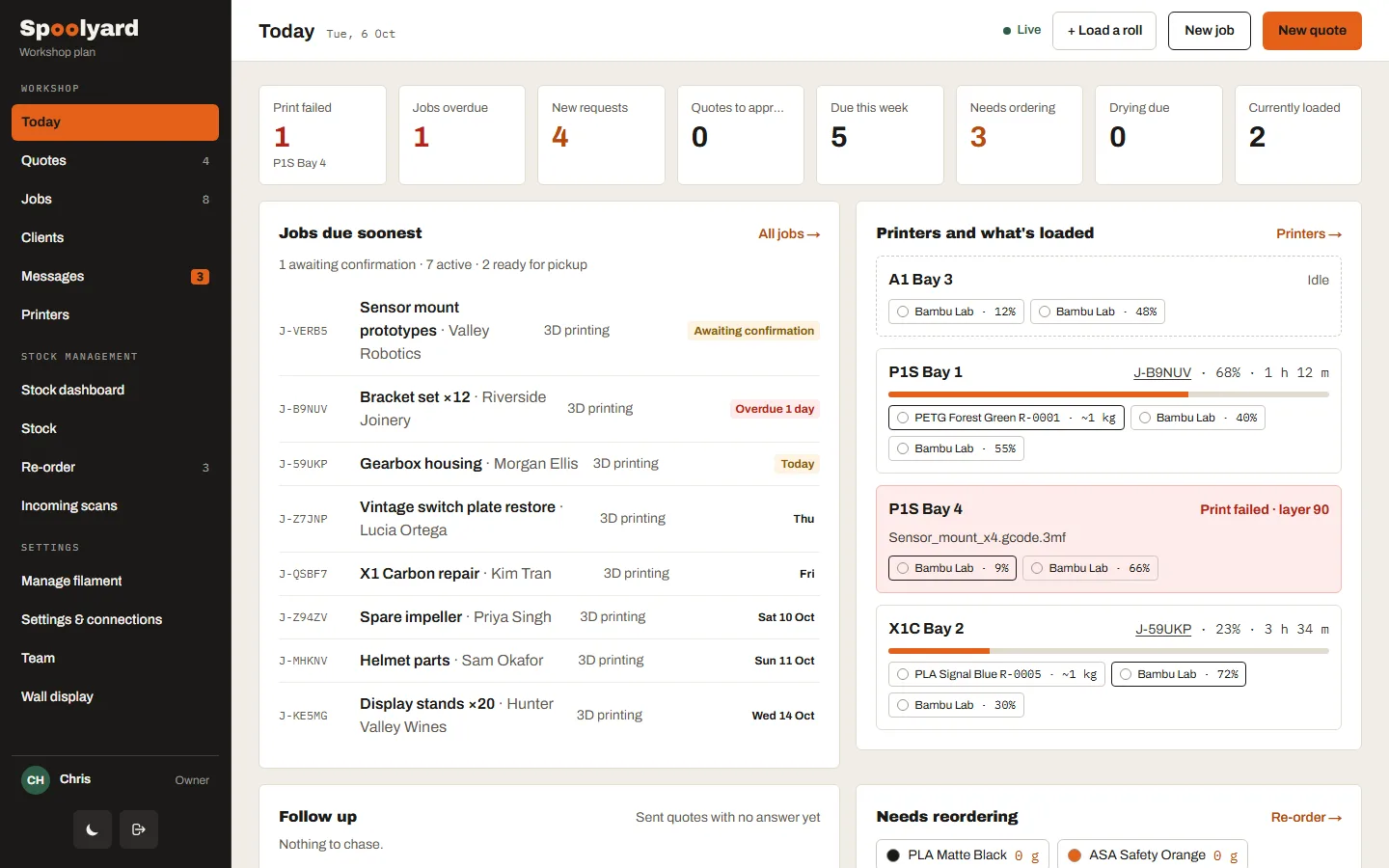
Your whole workshop on one screen.
New requests, quotes to approve, jobs due, filament running low and every printer, together. Jobs that need filament you don’t have are flagged before you start.
- Tiles that open the list behind them
- Printers with the spools loaded in them
- Connection health at a glance
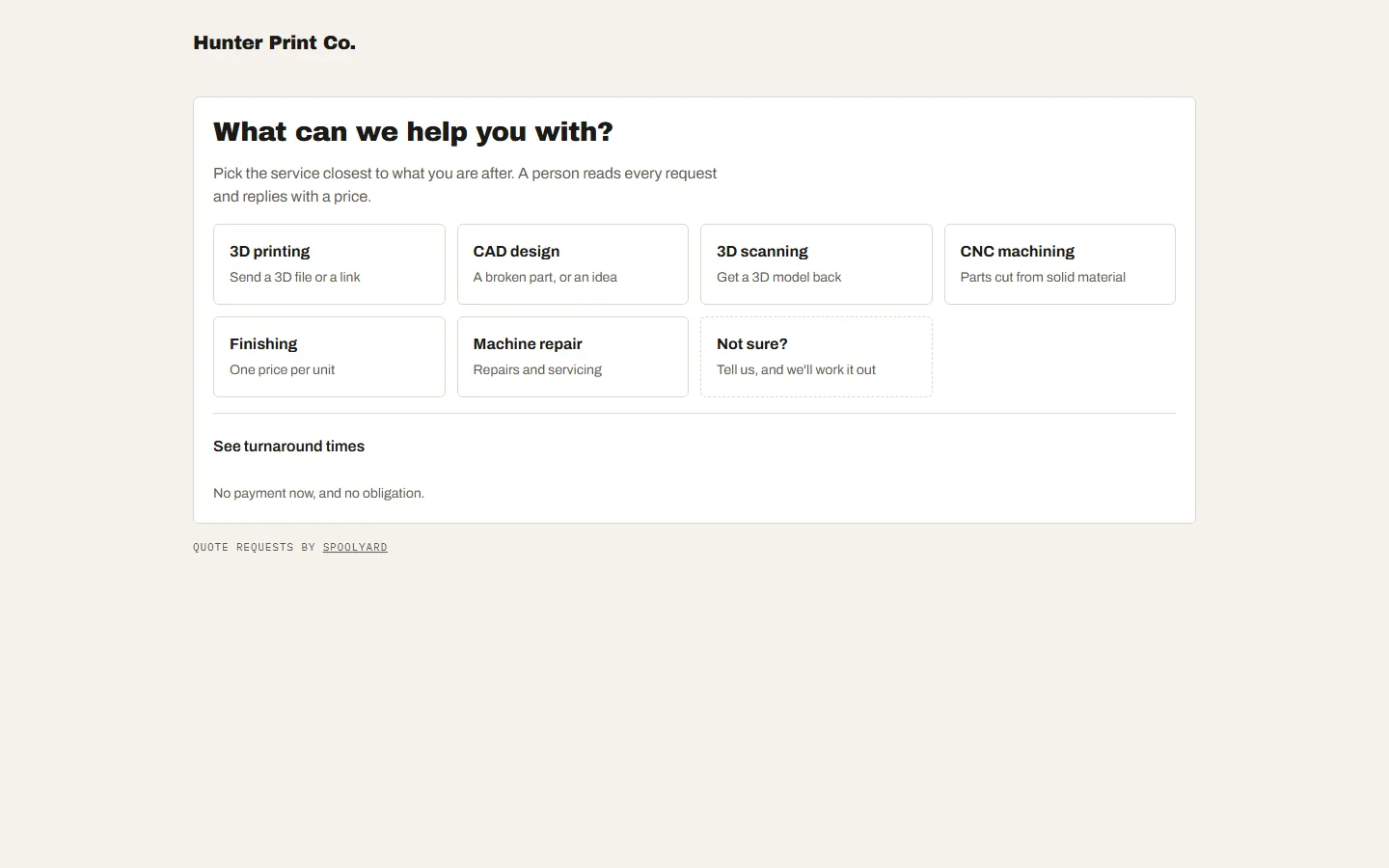
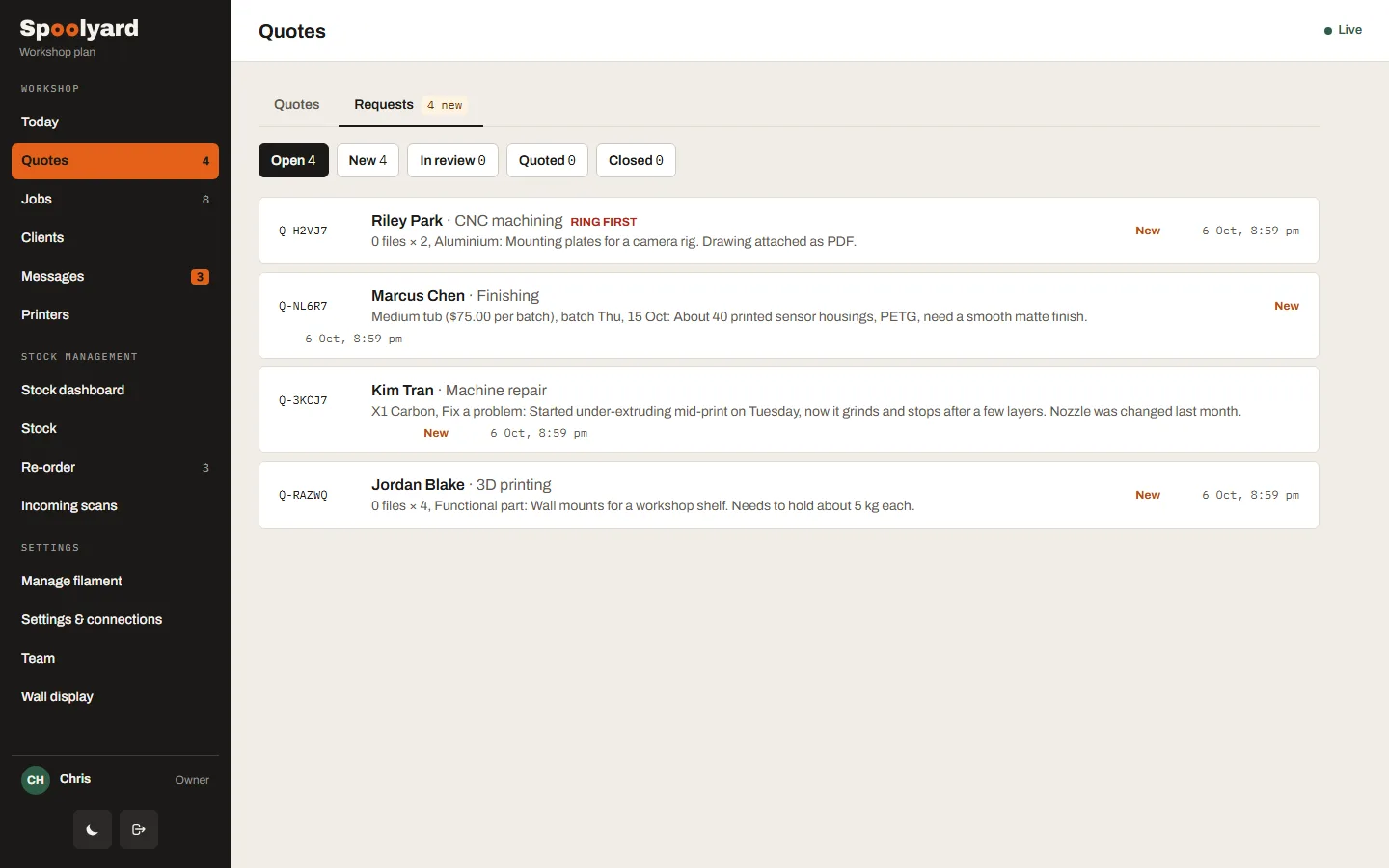
Clients ask on your own request page.
A page with your name and logo, and a snippet for your website. Clients describe the job and send files; nothing is priced automatically. You publish only the figures you want, like a price per tub or a diagnosis fee.
- One form per service you offer
- Files, links, photos and short videos
- Each request becomes a quote in one click
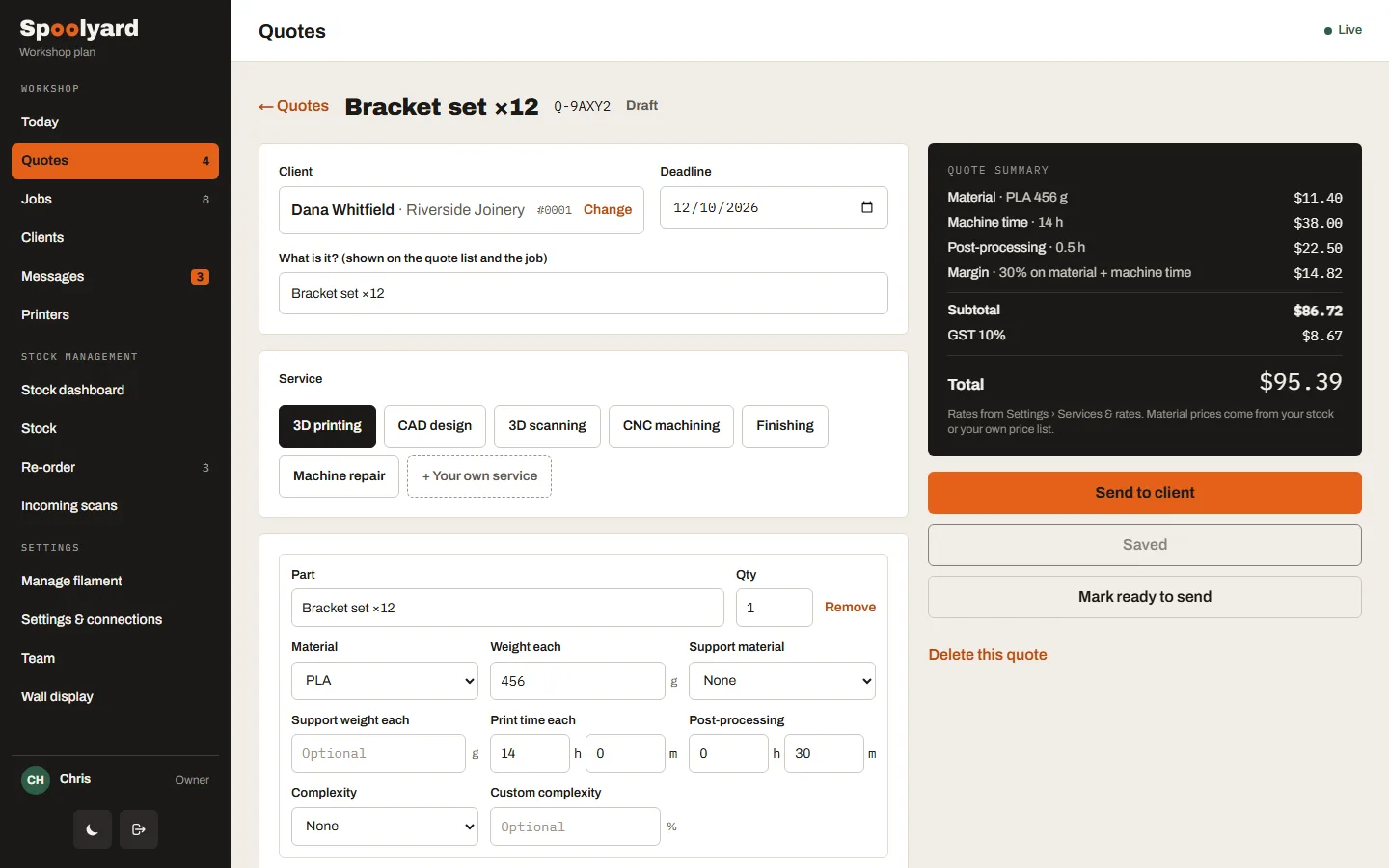
Price it on your own rates.
Material from your real spool prices, machine time, labour, complexity and margin, itemised line by line. Send it for approval, then by text and email with an Accept link.
- Templates for printing, design, scanning, CNC, finishing and repair
- Paste from your slicer for weight and time
- Follow-up reminders for quotes with no answer
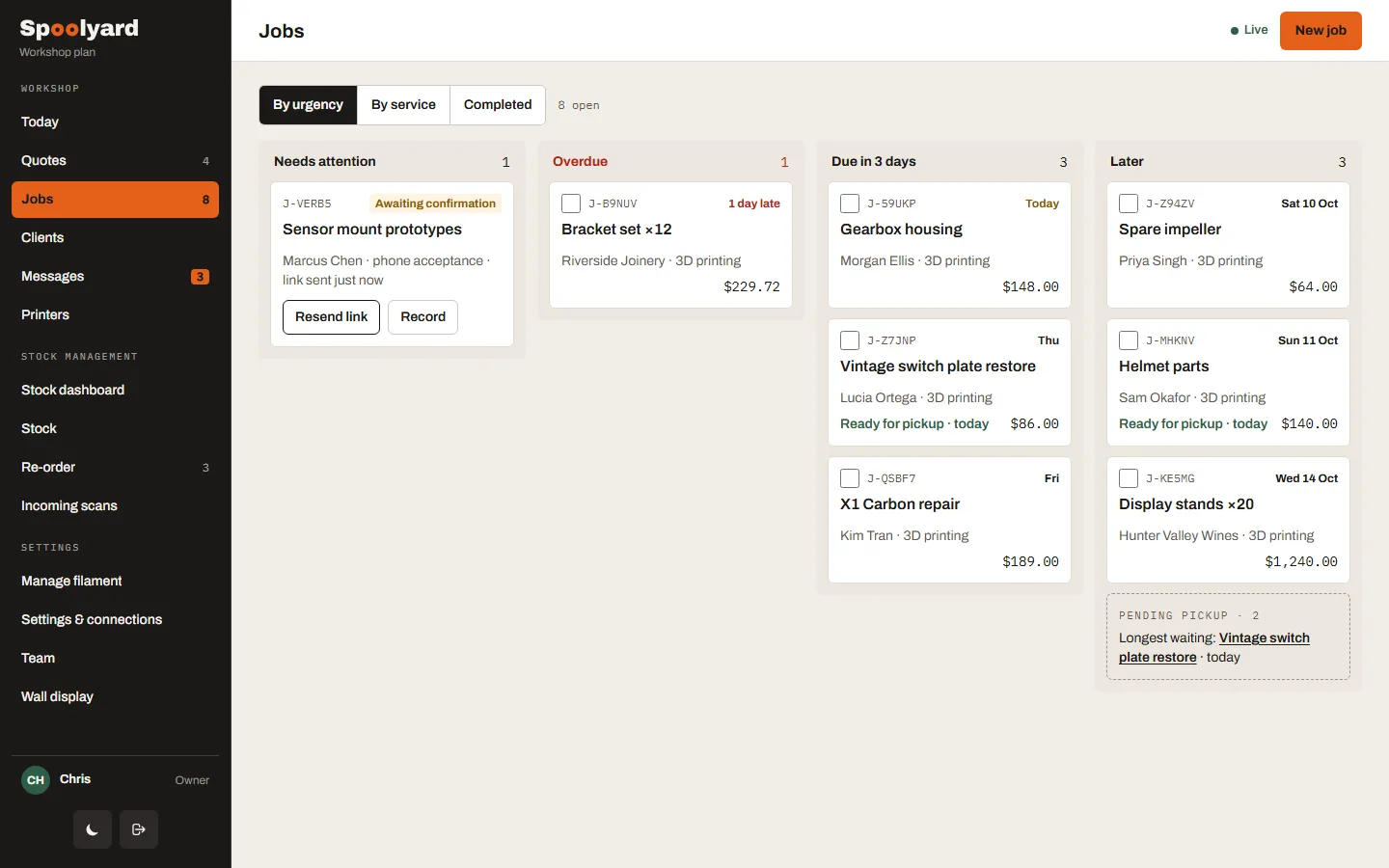
Every job, sorted by what’s due.
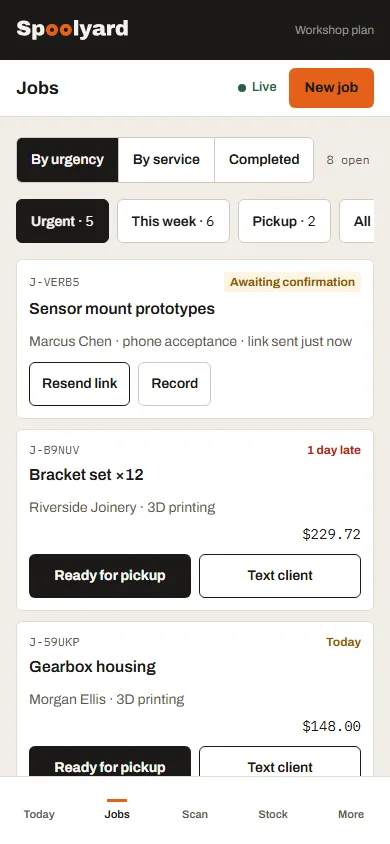
Clients confirm by link, so every job has a clear yes on its record. The board sorts by urgency, prints tickets for the label printer and texts the client when it’s ready.
- Needs attention, overdue, due soon, later
- Ready-for-collection notices and a pickup list
- Built for a phone on the shop floor
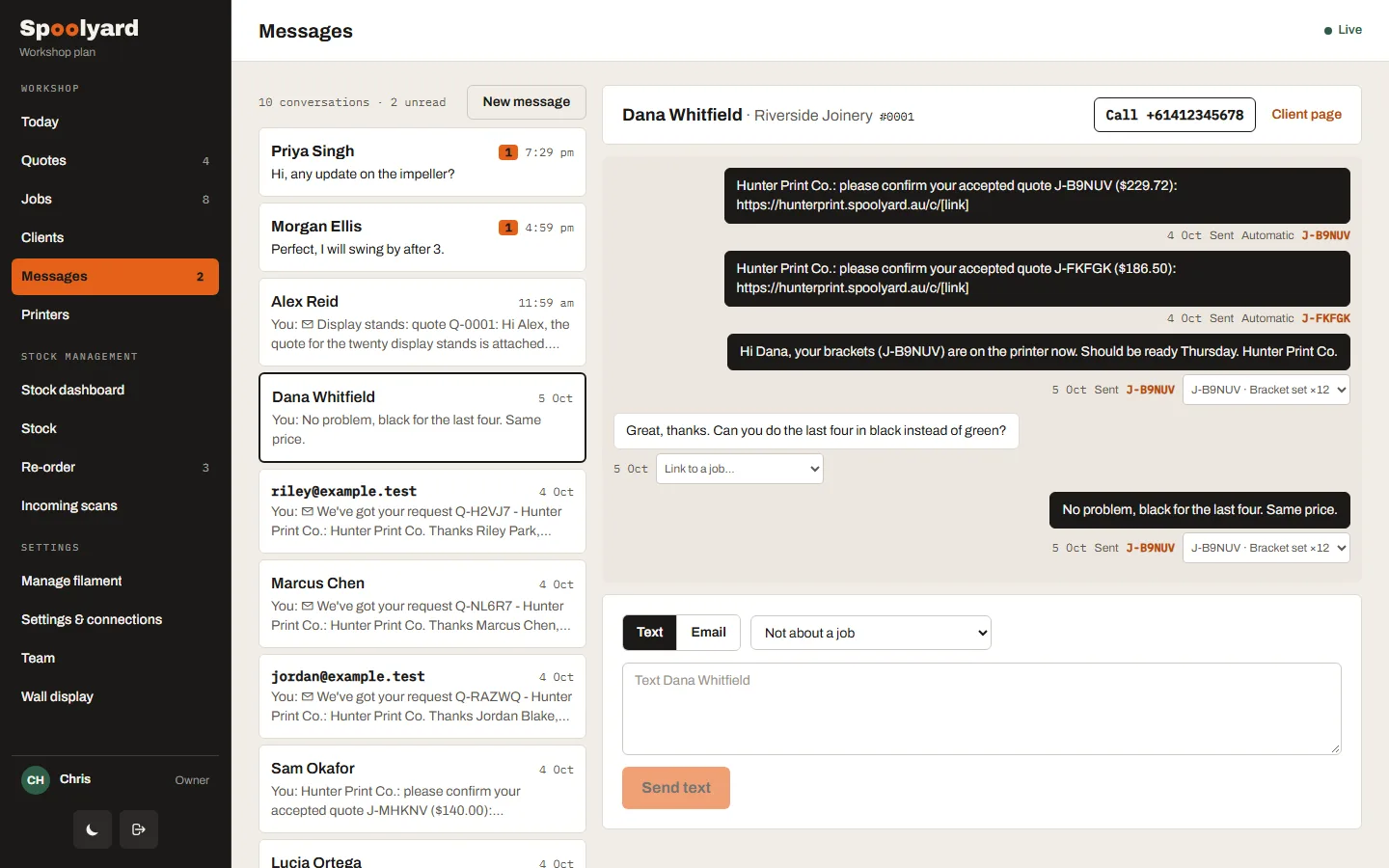
Every text and email, with the job it belongs to.
Replies from your own Twilio number land in one inbox, tagged with the job or quote they mention. Send from templates, or call back with a tap.
- SMS in and out, emails sent
- Templates with placeholders and a character count
- Staff alerts for new requests and disputes
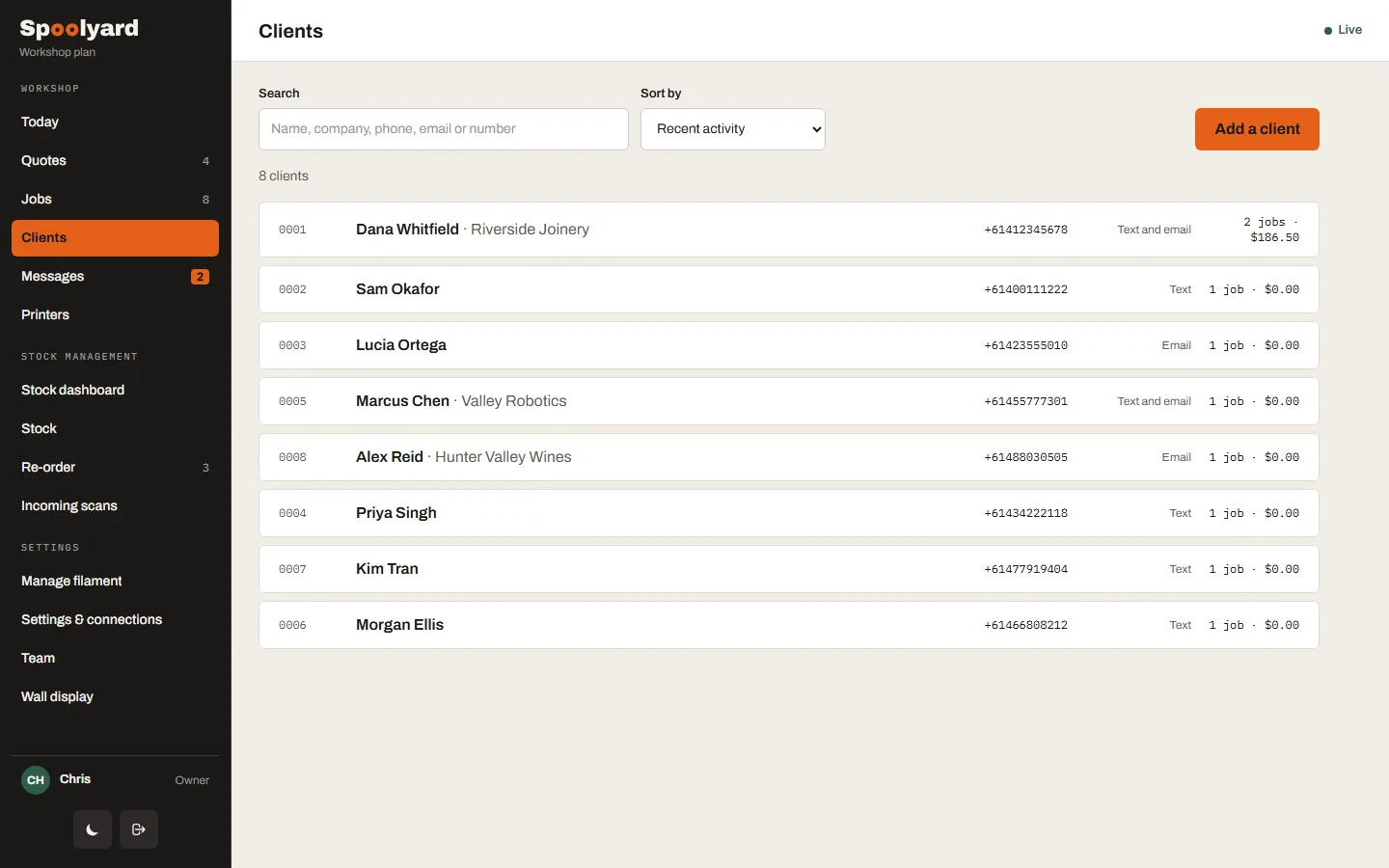
Know who you’re talking to.
Every client with their number, contact preference, jobs, spend and notes. Start a quote or a message from their page.
- Search by name, number or phone
- Sort by recent, most frequent or most spent
- Full job and quote history
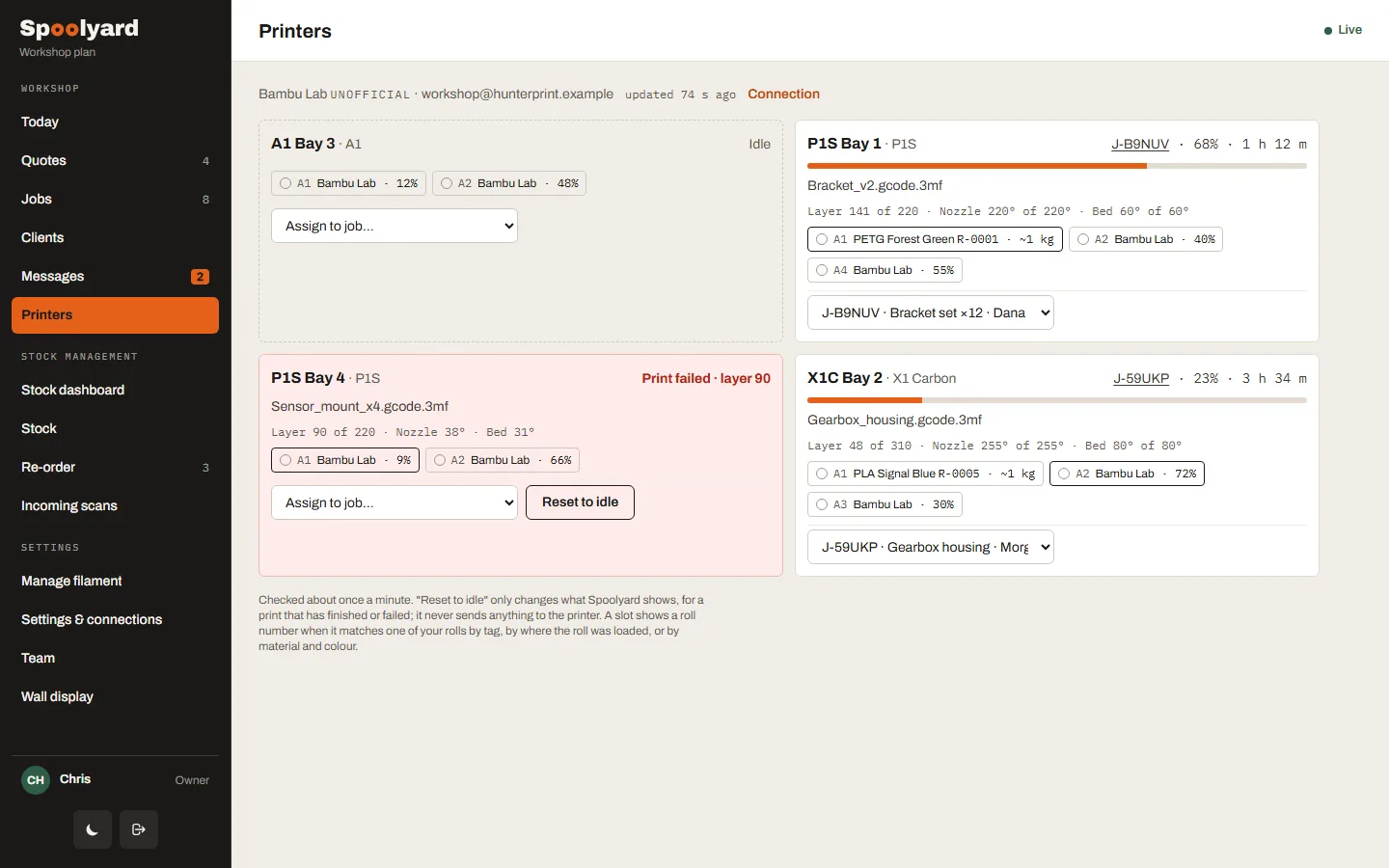
Every printer, and the job it’s on.
Link your Bambu Lab account with one emailed code. See progress, time left, temperatures and which spools are loaded, and see a failed print the moment it happens.
- Prints linked to jobs by their reference
- AMS slots matched to your spools
- Marked unofficial: Bambu has no public API
Put the workshop on the TV.
The shop hub is a display link for a TV or second screen, with no sign-in. It rotates through seven slides: production, job aging, the business snapshot, filament to reorder, printers, messages and the jobs due next. Click through them below.
- Up to 5 display links, each with its own slides
- Light or dark
- Reset a link to switch an old screen off
Slide 1 of 7 · Production overview · sample figuresPrinters via your Bambu Lab account · marked unofficial, as Bambu has no public API
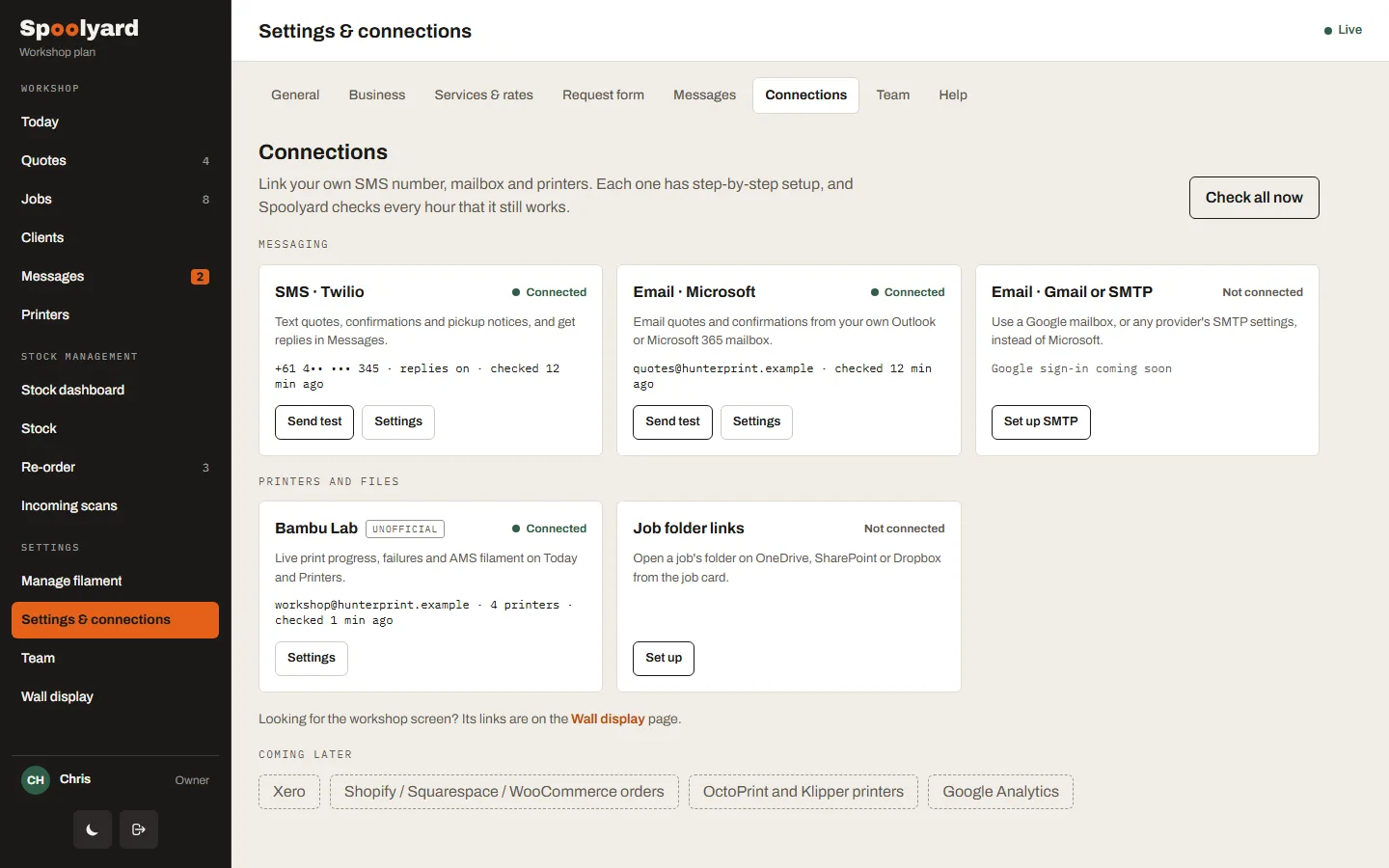
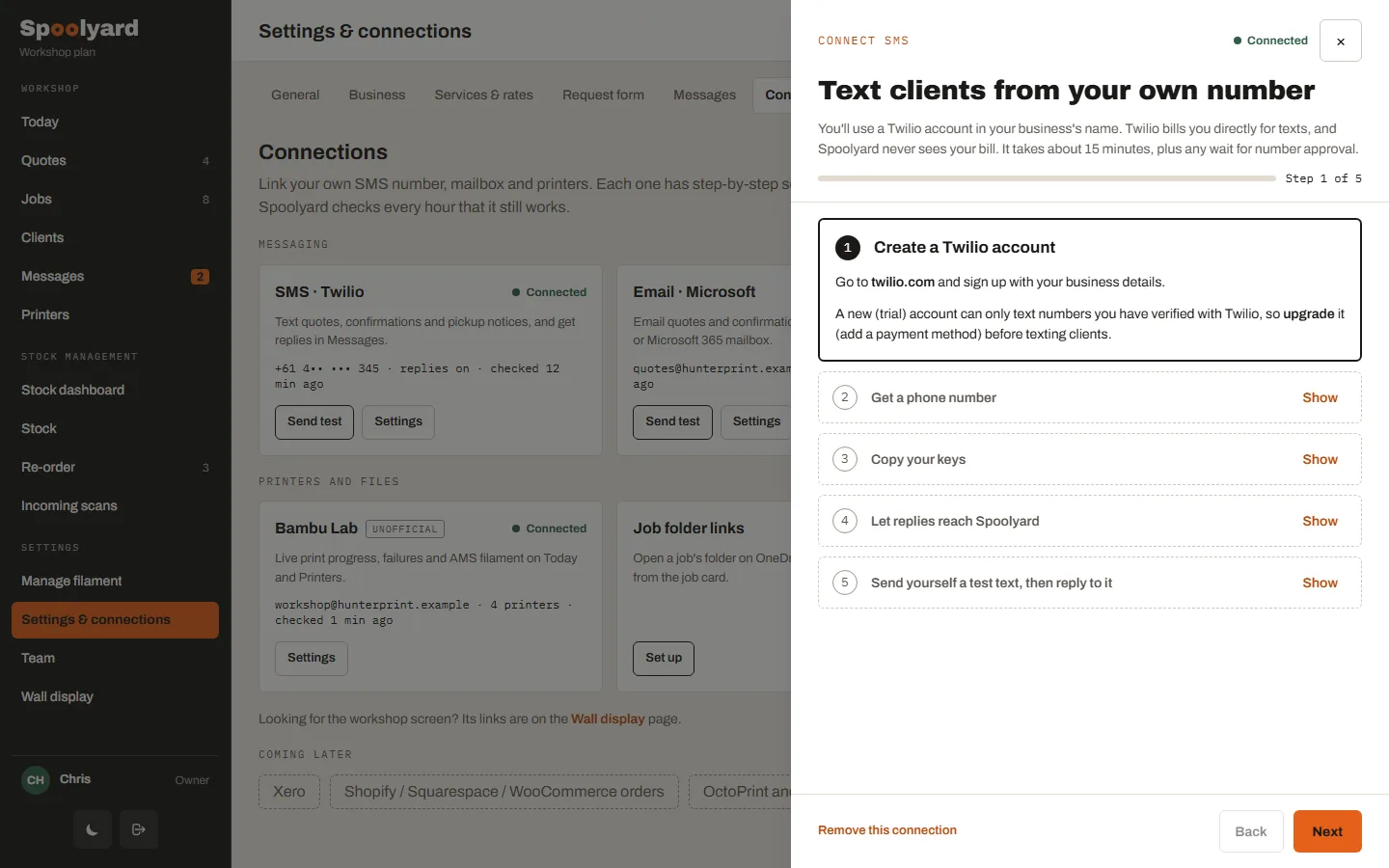
Set up in an afternoon, with the steps on screen.
Connect your own SMS number, mailbox and printers. Each connection has a guide with copy buttons and a test, and Spoolyard checks every hour that it still works.
- Twilio SMS, Microsoft or SMTP email, Bambu Lab
- Job folder links for OneDrive, Google Drive or Dropbox
- Invite up to 5 team members
Try it free for a month.
Basic $2 AUD / month · Pro $10 AUD / month · Workshop $15 AUD / month. A card is needed to start.
Sample screens · every name and figure is made up.